Does my audio leave my Mac?
Not for transcription: every speech model runs locally. It only leaves if you deliberately point the AI step at a cloud provider such as OpenAI or Anthropic, and the app says so per provider before you pick one.
YWhisper records both sides of a call, turns it into text, and writes the summary. Speech never leaves your Mac unless you decide it should. Dictate into any app with one shortcut, and transcribe the recordings you already have.
Private beta
Apple Silicon, macOS 26.4+
We are on calls all day, and the notes were always the part that slipped. The tools that promise to fix that want your meetings on their servers, and a recording of a client call is not ours to hand over. So we built the version we were willing to use ourselves.
Everyone means to write the minutes up afterwards. An hour later the decisions are approximate, the owners are vague, and the numbers are gone.
Meeting transcription is almost always a cloud service. That means client conversations, salaries and roadmaps sitting on somebody else's infrastructure under somebody else's retention policy.
Three things, done properly, without sending your work to somebody else's server.
Your microphone and the audio coming out of your speakers, recorded together, so a Teams, Zoom, Meet or FaceTime call ends up as one recording.
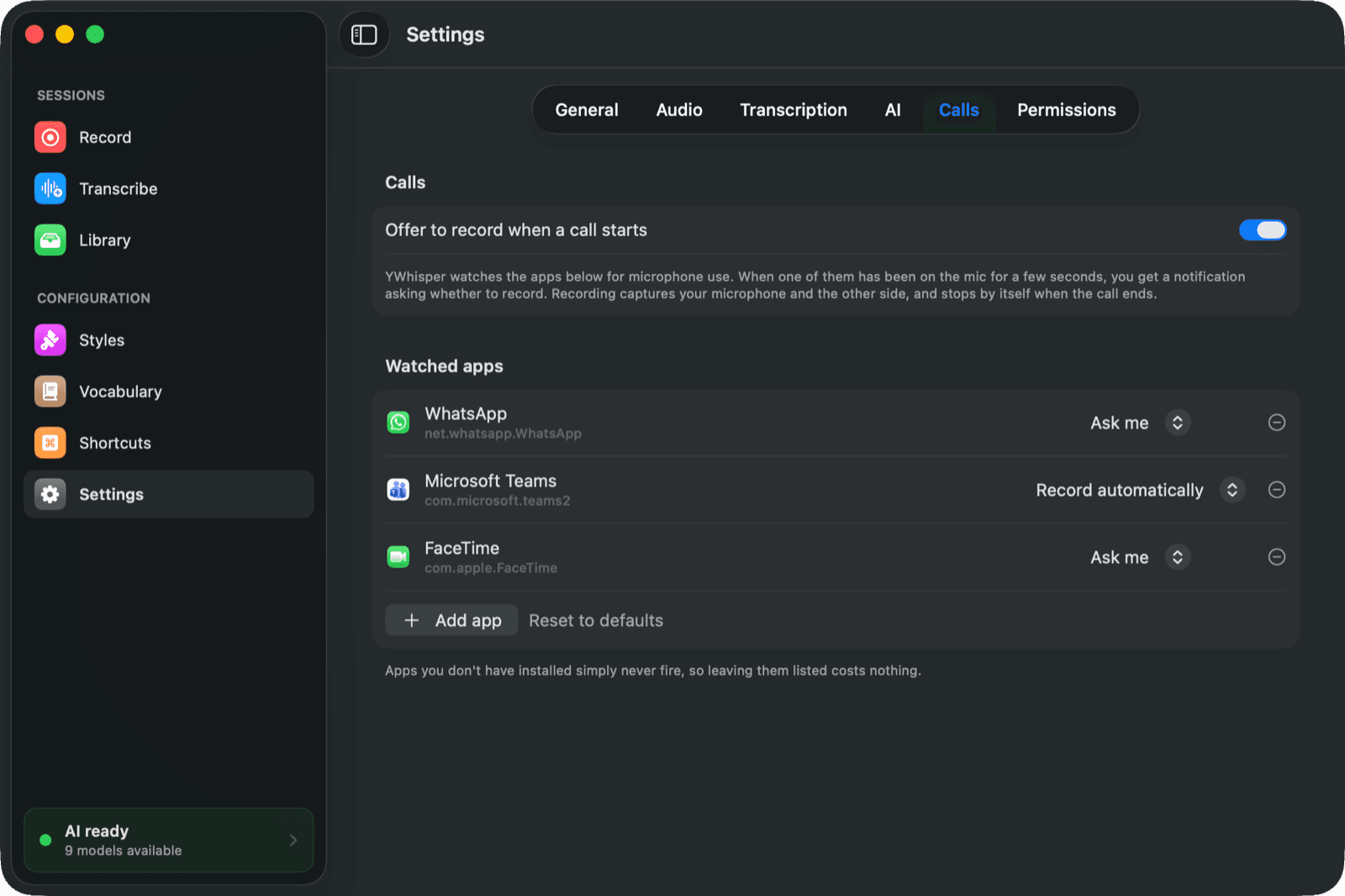
Point it at the apps you take calls in and it notices them reaching for the microphone. Record automatically, or ask first, per app.
Press your shortcut anywhere, speak, press it again. The text lands where your cursor is, in Mail, Slack, Notion or your editor.
Six speech models, all running locally on the Neural Engine and the GPU. No connection needed to turn speech into text.
Decisions, owners and the numbers that were actually said, in the language the meeting was held in, and longer for a long meeting.
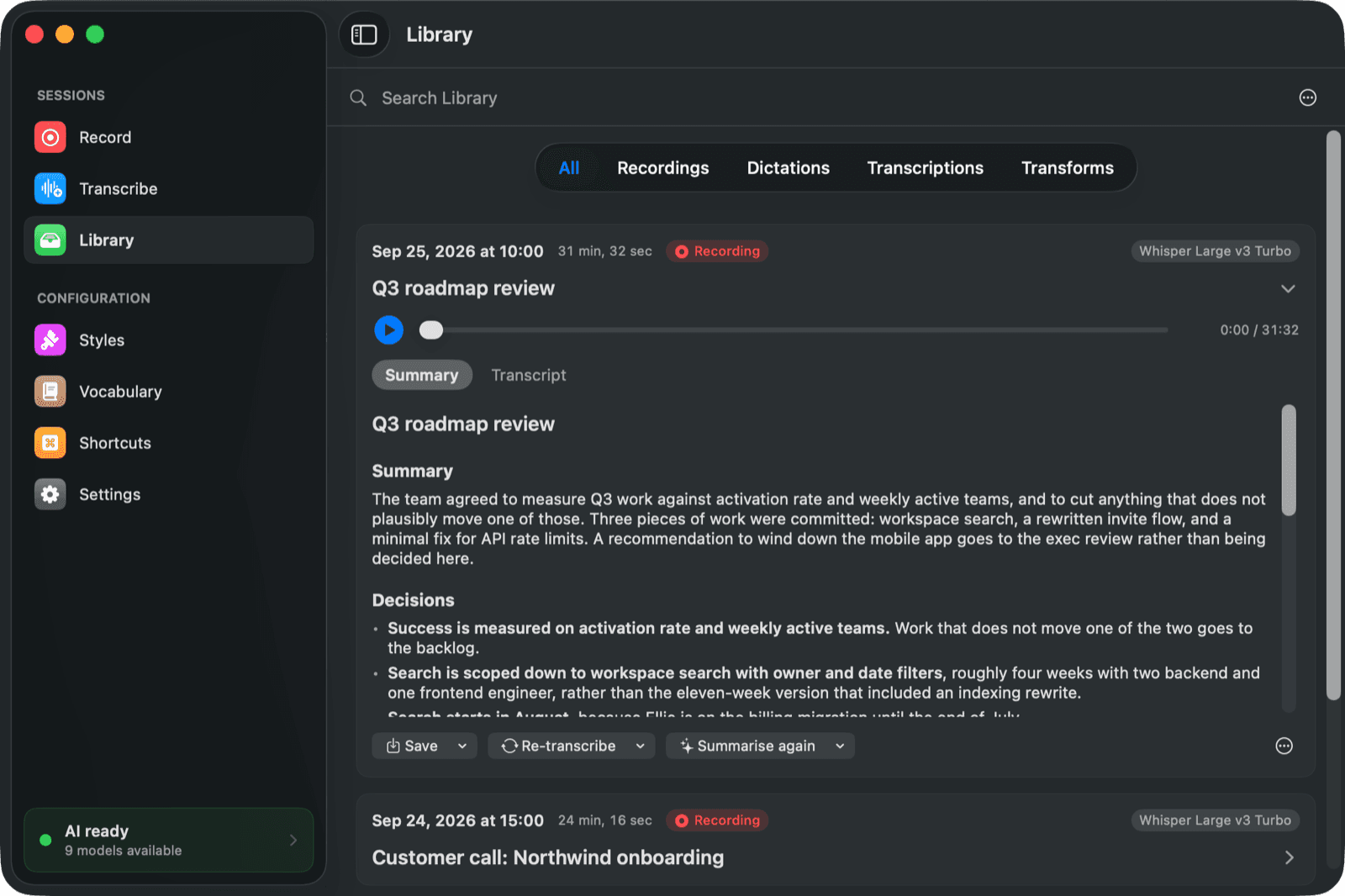
Recordings, dictations and transcribed files in one Library, searchable by their contents, exportable to Word, PDF or Markdown.
Screenshots from the app as it is today, not a mock-up of where we are heading.
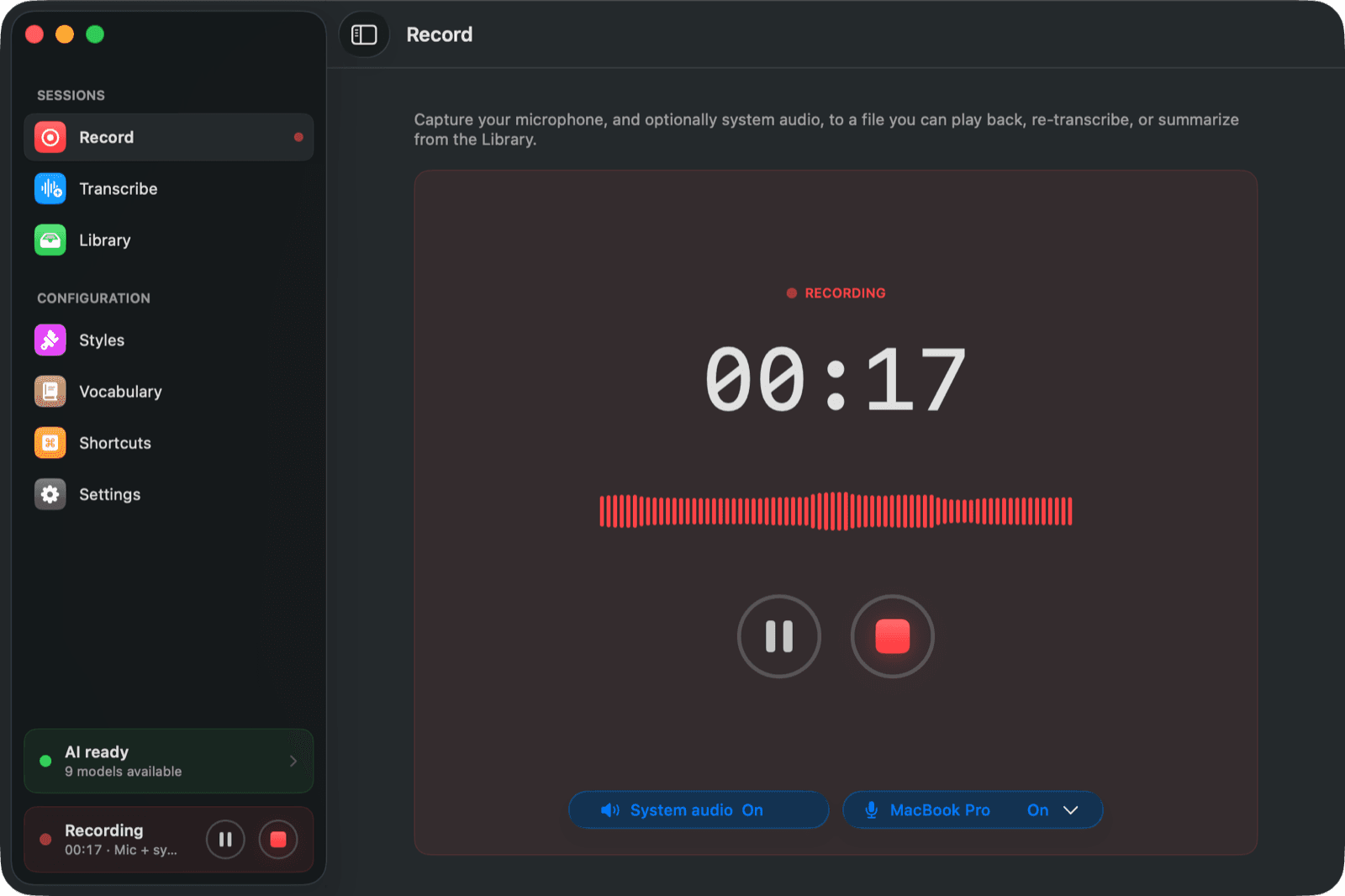
A big record button, a timer, and the level of whatever is actually being captured. Mute your own side for a moment without stopping the recording, switch microphone mid-call if you changed it in the call app, and see at a glance whether the other side is being recorded too. Close the window and the menu bar keeps the timer and the controls.
Point YWhisper at the apps you take calls in, Teams, Zoom, Meet, WhatsApp, FaceTime or anything else, and it watches for them reaching for the microphone. Per app you decide: record automatically, or ask first. The recording stops by itself when the call ends, so there is nothing to remember at either end.
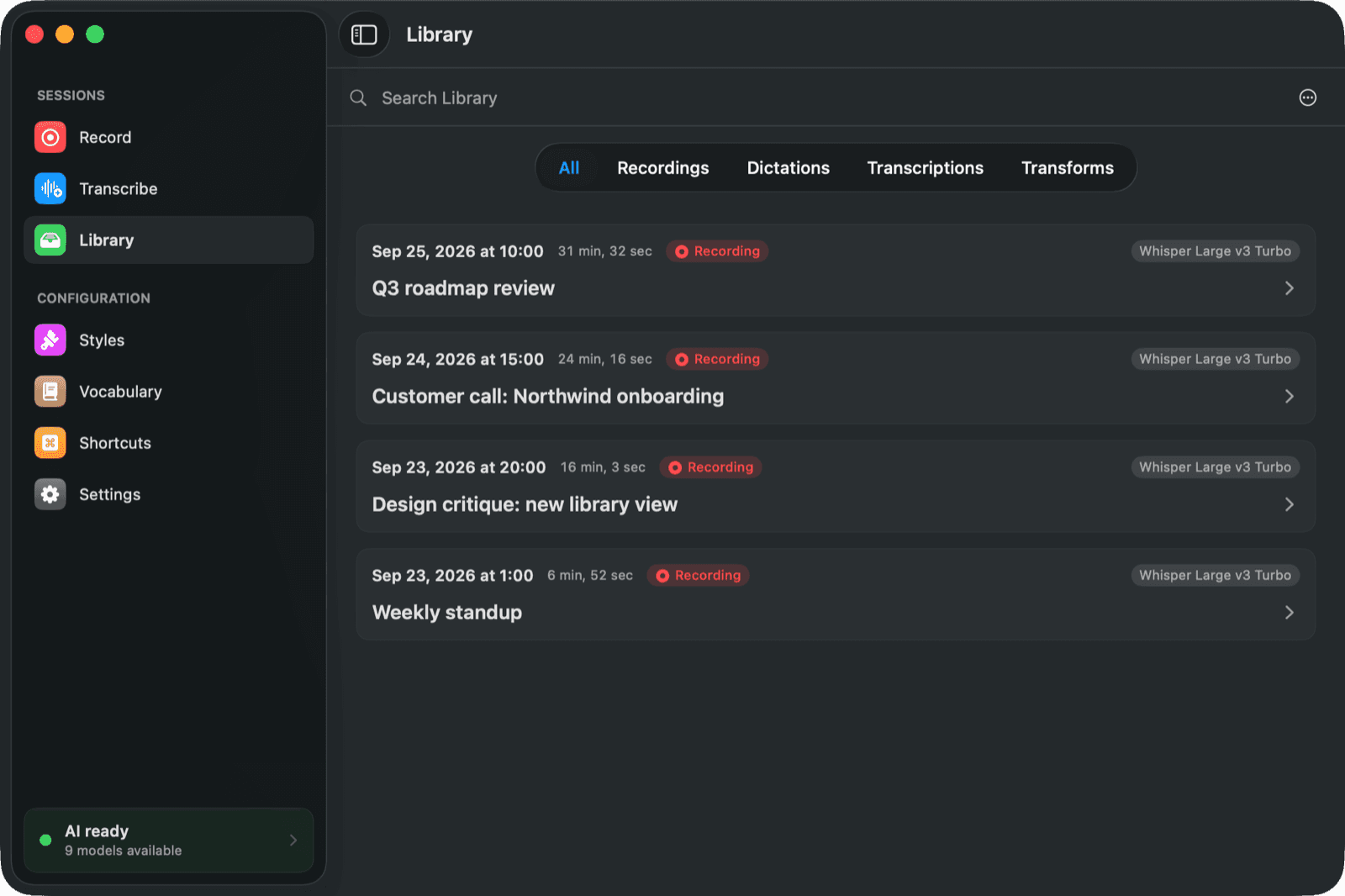
Recordings, dictations, transcribed files and rewritten text all land in the same place, searchable by their contents. Play the audio back, read the transcript beside the summary, re-transcribe with a different engine, or export to Word, PDF or Markdown.
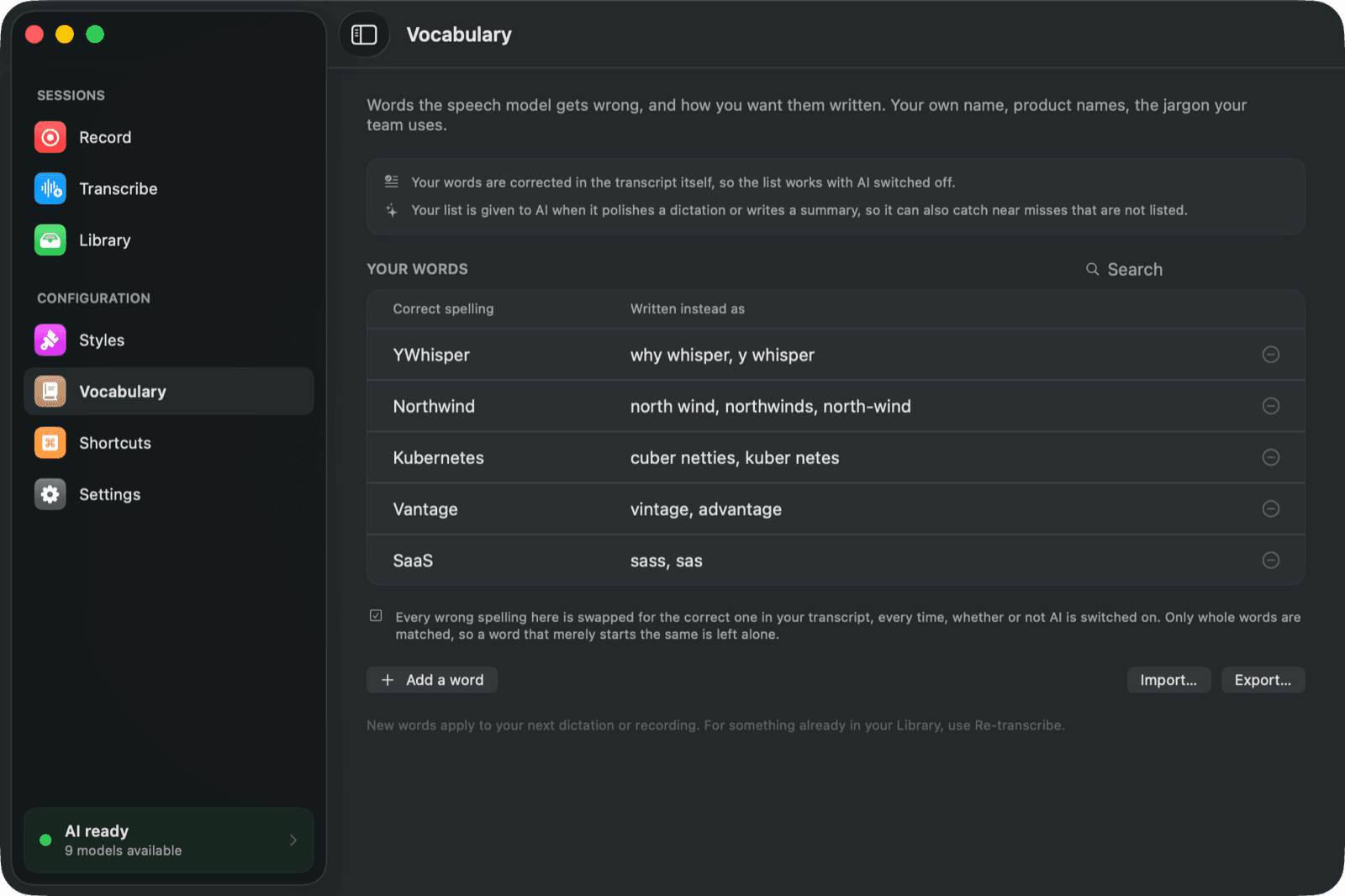
Speech models have no idea how your name, your products or your team's jargon are spelled, so they guess, and they guess the same way every time. List the words once and YWhisper writes them the way you want, in the transcript itself and in every summary. Export the list as CSV to share it with colleagues.
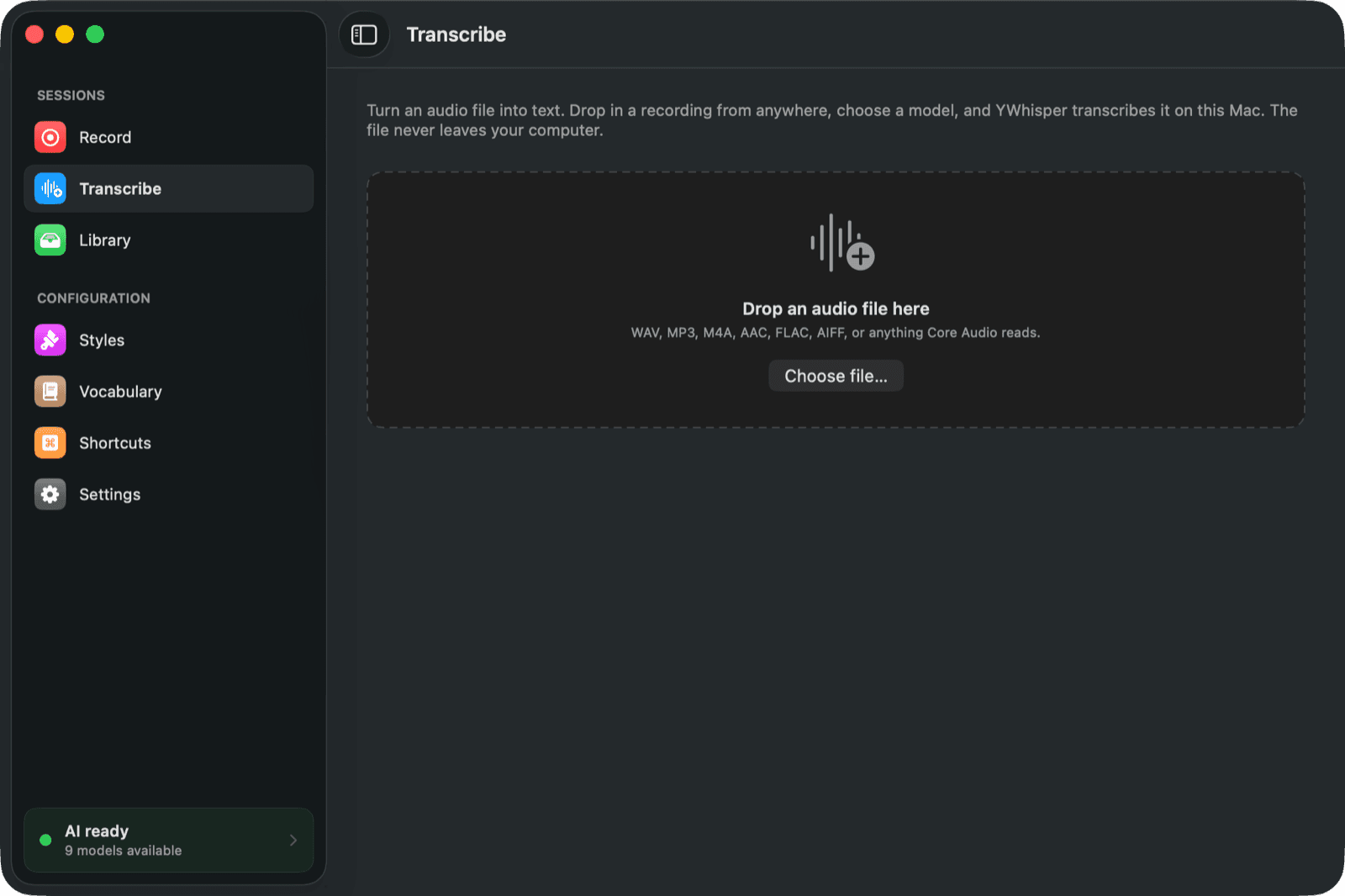
Drop in an audio or video file you recorded elsewhere and get a transcript and a summary out of it. Old voice memos, a webinar recording, an interview, a lecture you were sent.
6
Speech models
Whisper, Parakeet and Canary, downloaded on demand and switchable per recording.
~100
Languages
With Whisper. Parakeet covers 25 European languages, Canary four.
0
Bytes uploaded
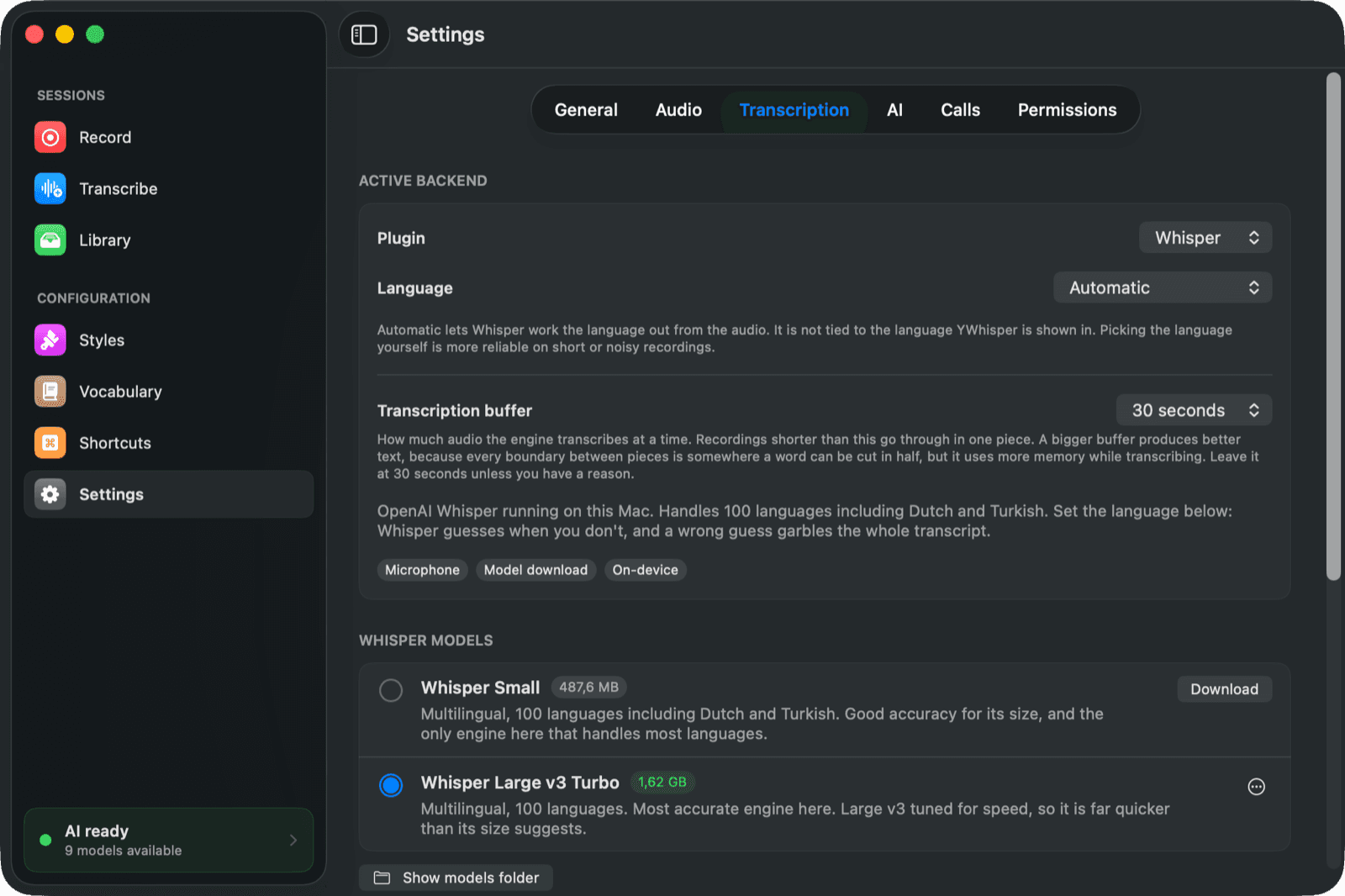
Speech to text is always local. Keep the AI local too, with Apple's built-in model, omlx, Ollama or LM Studio, and nothing you say or write leaves the machine at all.
Speech to text happens on your Mac. The audio, the transcript and your recordings stay in a folder you own. There is no account and nothing to upload, and the AI step only reaches the internet if you deliberately pick a provider that lives there.
Every speech model runs on your Mac, using the Neural Engine and the GPU. No internet connection is needed to turn speech into text.
Polishing and summarising can run on your Mac too, through Apple's built-in model, omlx, Ollama or LM Studio. Prefer a cloud model? Point YWhisper at OpenAI, Anthropic or any OpenAI-compatible endpoint. The app tells you plainly, per provider, whether it runs here or somewhere else.
Transcription never leaves the machine, whatever you do. Neither does the polish and summary step, as long as you point it at a model running on your Mac. A cloud provider only sees your text if you chose one yourself. Beyond that the only traffic is the licence check and the update feed.
Transcription is local, always. The polish and summary step is the one place a cloud model is even an option, so the app names the provider and says plainly whether it runs here or somewhere else before you pick it. Apple's built-in model, omlx, Ollama and LM Studio all keep it on the machine.
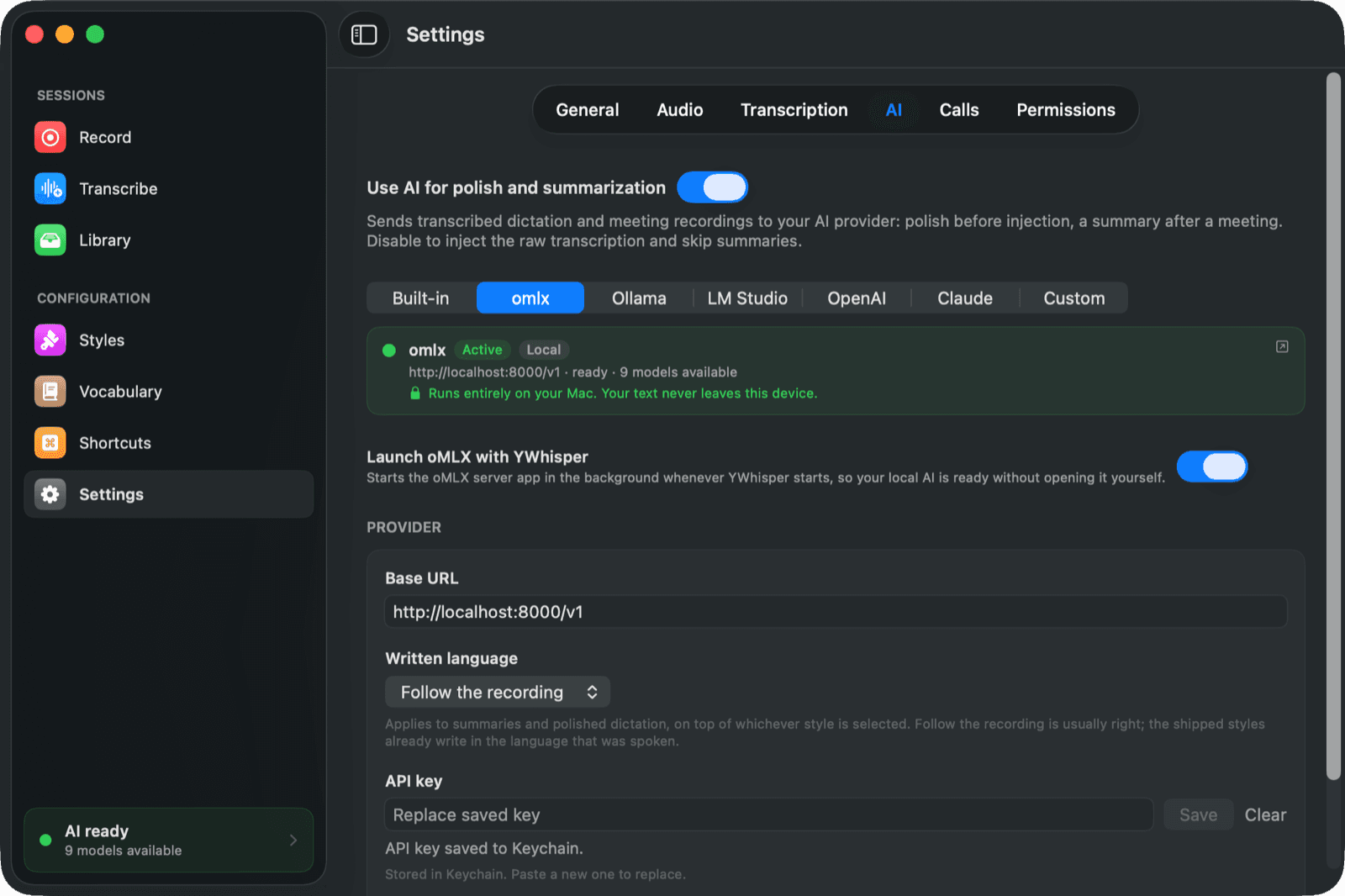
Different work needs different engines. YWhisper ships six, downloads them on demand, and lets you switch per recording.
The most accurate engine here. Large v3 tuned for speed, so it is far quicker than its size suggests.
What a new install gets. Good accuracy for its size, and it covers almost every language people actually speak.
NVIDIA's transducer. Very fast on Apple Silicon and strong on European languages.
English only, and the best speed to accuracy trade-off if that is all you need.
Handles accented speech better than its size suggests. English, German, Spanish and French.
The smallest engine here, and the quickest to download.
Whisper works the spoken language out from the audio by itself. You can also set the language yourself, which is more reliable on short or noisy recordings.
Every model is a download away, and the app shows you the size and what each one is good at before you commit. Try a recording with one, re-run it with another, and keep whichever got it right.
YWhisper is in private beta. Tell us a little about how you would use it and we will send you a licence key and a download link.
What people ask before they try it.
Not for transcription: every speech model runs locally. It only leaves if you deliberately point the AI step at a cloud provider such as OpenAI or Anthropic, and the app says so per provider before you pick one.
No. YWhisper is Apple Silicon only. The models lean on the Neural Engine and the GPU, and on Intel the result would be too slow to be useful.
Yes. YWhisper records your microphone and the system audio, which is everything coming out of your speakers, and mixes them into one recording. macOS asks for Screen Recording permission for that, because that is how it gates system audio.
With Whisper, around 100, including Dutch, Turkish, German, French, Spanish, Polish and Arabic. Parakeet covers 25 European languages, Canary four. The app itself is available in English, Dutch and Turkish.
Yes. Drop an audio or video file into the Transcribe tab and you get a transcript and, if you want, a summary.
Only to download a model the first time, to check your licence, and to fetch updates. Recording, transcribing and summarising with a local model all work offline.
The beta is free while it lasts. Pricing for the release has not been announced yet, and beta users will hear first.
YWhisper is our own product, built by the same people who build software for our clients. If your team needs something like it, that is a conversation we are happy to have.
Start the conversation